Bancontact Pro In Store makes it
Merchants can choose from a wide range of options.
Several banking app (e.g. KBC Mobile) and the Bancontact Pay app are widely used for omnichannel mobile payments. Significantly, users make those payments in-store, online and between friends. Bancontact Pay, the app for scanning a QR code and paying, is therefore very popular in Belgium.
Undoubtedly, the Bancontact Pro In Store API allows merchants to receive quick and secure digital payments at a very low cost.
In fact, Bancontact Pro can be included into the in-store customer flow in 4 ways:
1. Terminal and display
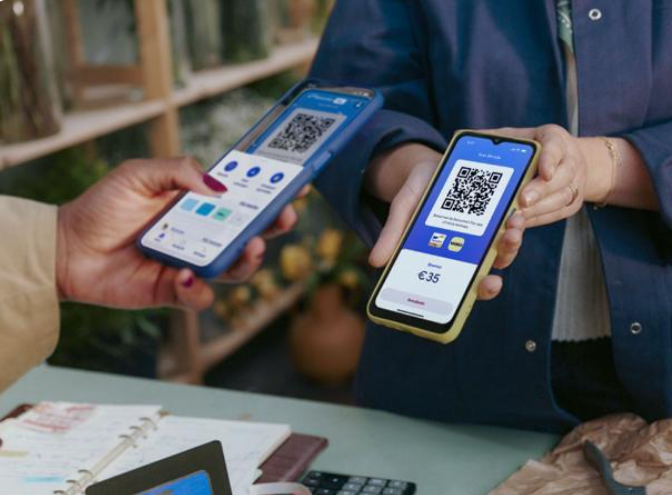
Firstly, the cash register display can show the customer a unique QR code. The customer can then scan the code with the KBC Mobile app or the Payconiq by Bancontact app. The app will show all payment details, so the customer can review and confirm. After that, the cash register display will show the payment status.
The Bancontact Pro developer guide has further technical details on terminal and display.
2. Receipt-based payment
A unique QR code can also be printed on the customer receipt. Similarly, the customer can then scan the code with his banking app in order to pay.
The Bancontact Pro developer guide has further technical details on receipt-based payment.
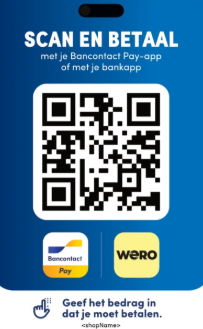
3. QR sticker
The merchant can also put a sticker with a QR code by the cash register. The customer can then scan the QR code to pay with the app.
The Bancontact Pro developer guide has further technical details on the QR sticker.
4. Invoice-based payment
In addition, the merchant can add a unique QR code to the sales invoice. The customer can then scan the QR code to pay the invoice.
The Bancontact Pro developer guide has further technical details on invoice-based payment.
The KBC website has further details on receiving mobile payments with Bancontact Pro.
The Bancontact Pro developer guide has further technical information.
It is now very easy for merchants to include Bancontact Pro mobile payments into their current in-store systems.

Bancontact Pro is free to all customers. The merchant only pays a small charge for each transaction. In other words, there are no monthly fees. Likewise, there are no investment costs. The transactions are billed monthly.
Get in touch for further information and rates.
Merchants sign a merchant contract with Bancontact in order to offer Bancontact Pro In-Store.
The KBC website has further details on receiving mobile payments with Bancontact Pro.
KBC Open Banking & Insurance fosters innovation
to take your business to the next level.
Solution based questions / Technical based questions : Contact